
AI Scientific Poster Generator
Upload your paper PDF or paste your abstract, and the AI builds a print-ready A0/A1/A2 research poster in under a minute — formatted for academic conference standards.
Conference poster sizes A0 · A1 · A2 — trusted by 2,000+ researchers worldwide
Start creating
Enter your paper on the left and hit Generate to create your first scientific poster.
Scientific poster examples
Conference posters generated from a research paper across neuroscience, machine learning, chemistry, and ecology.
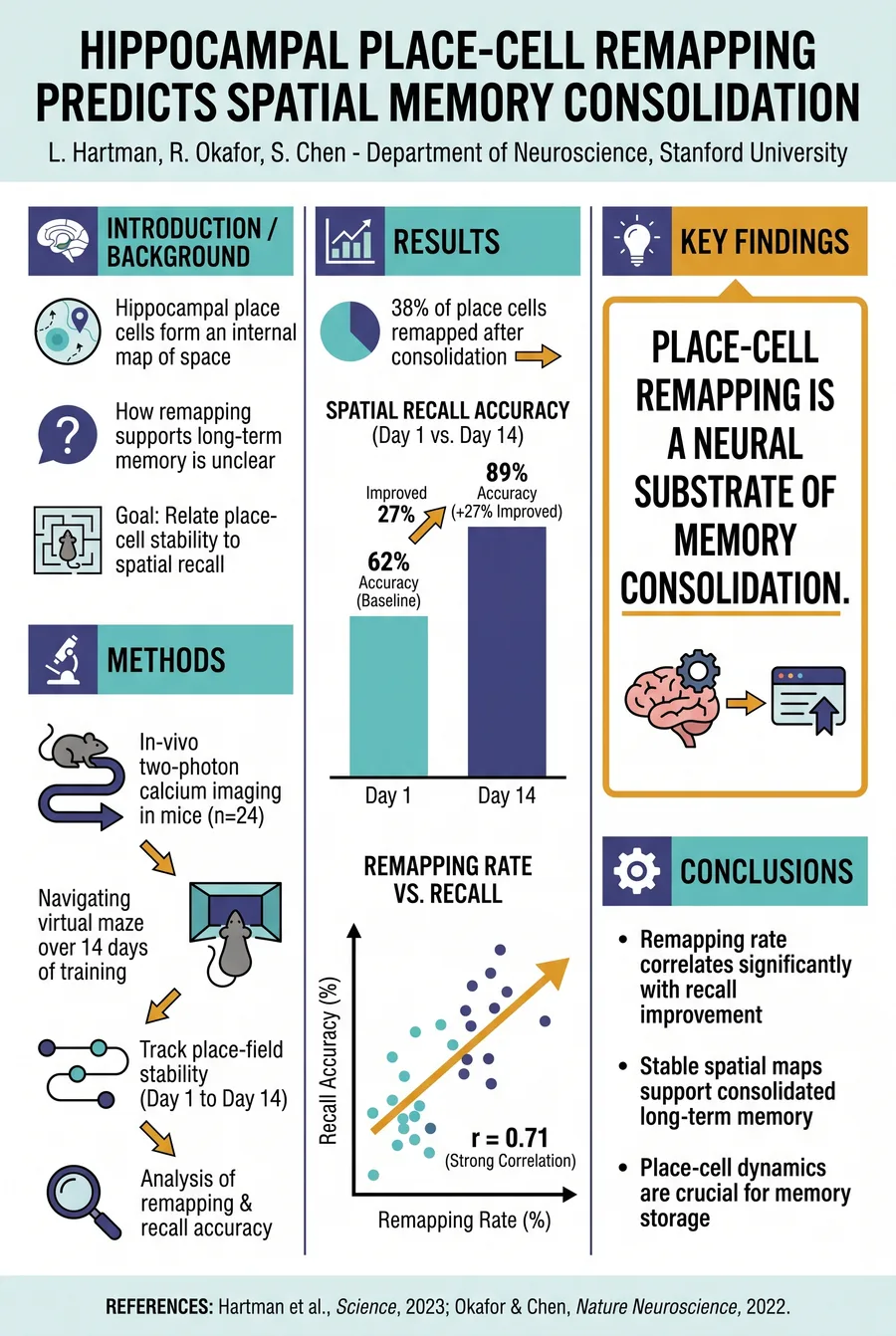
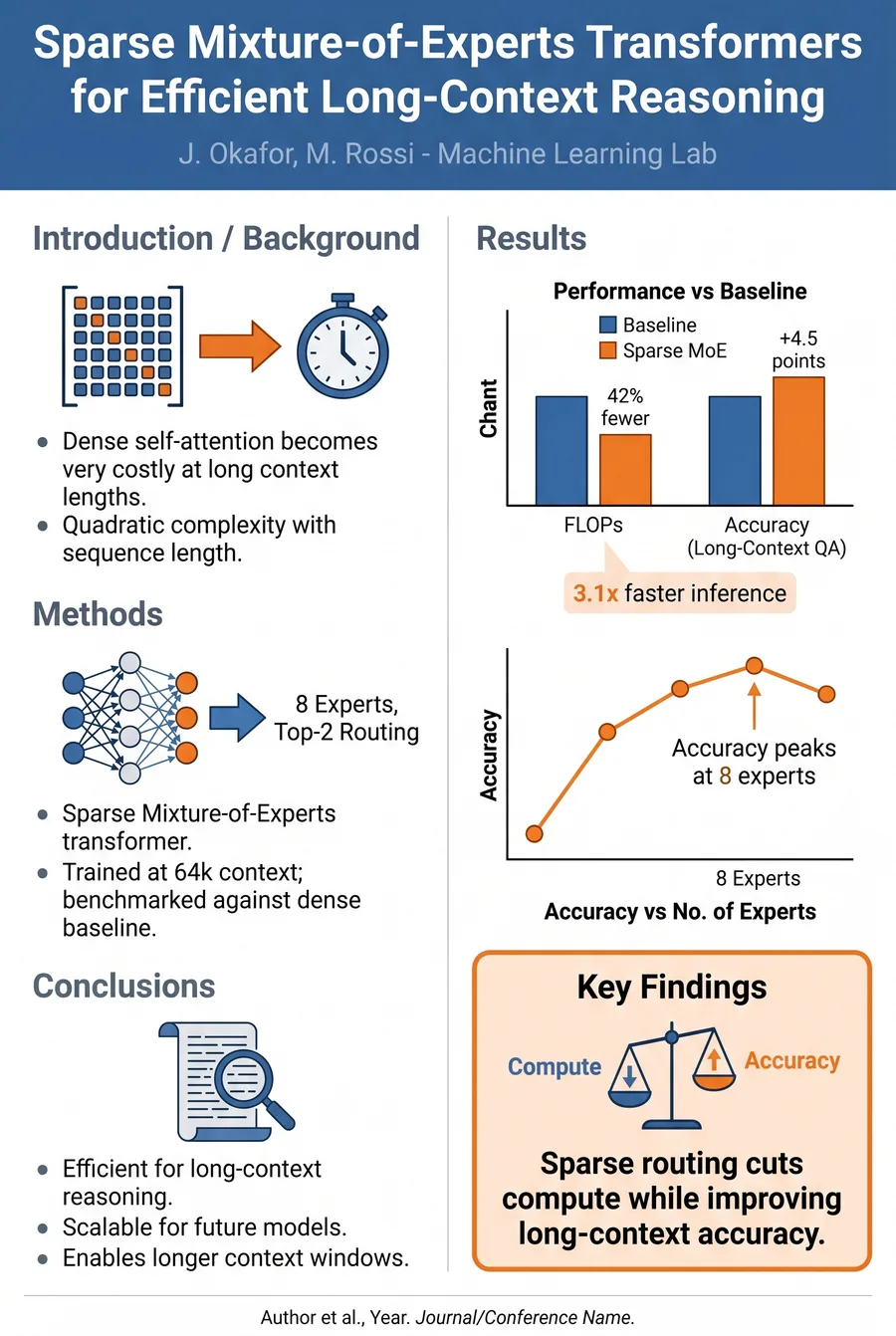
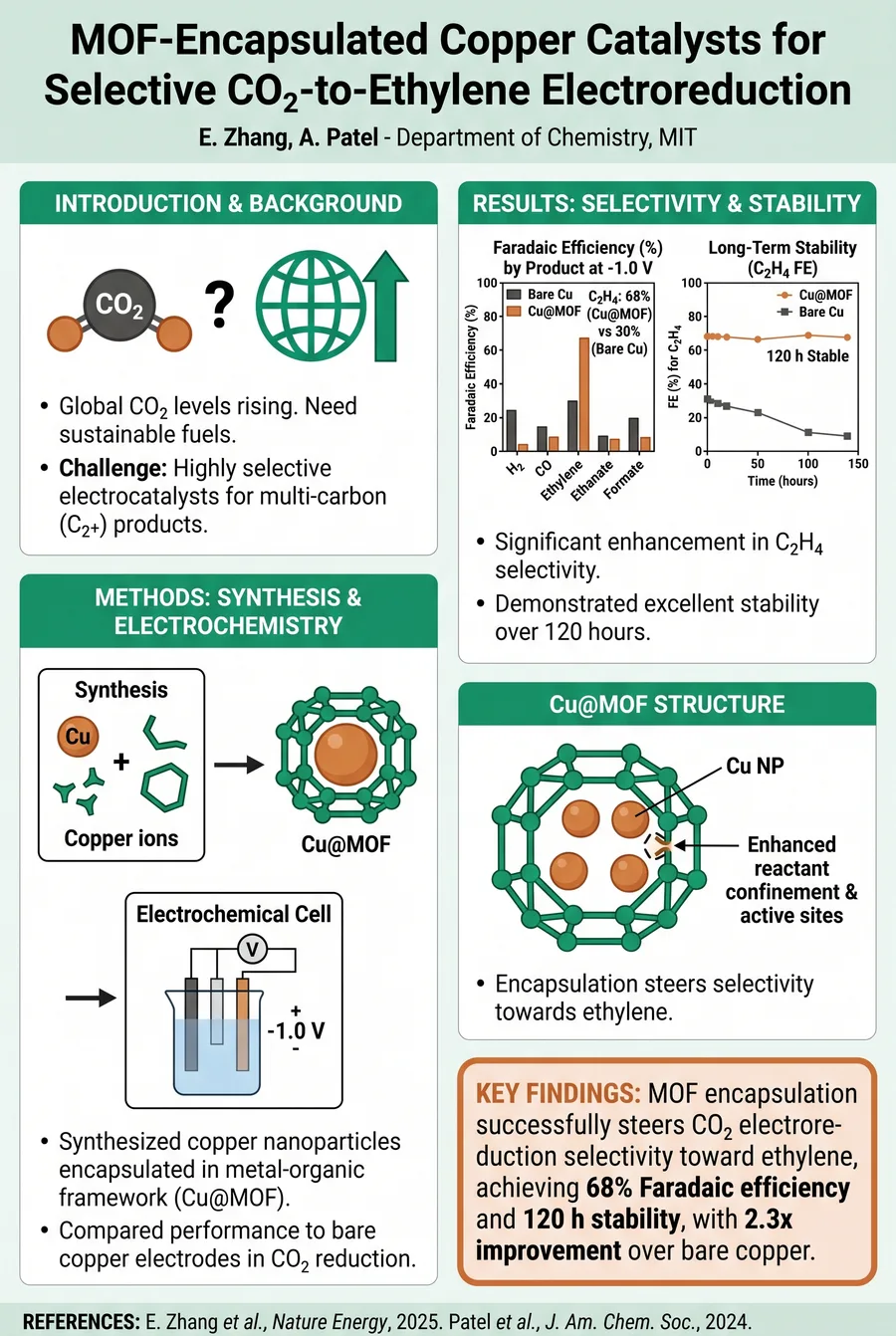
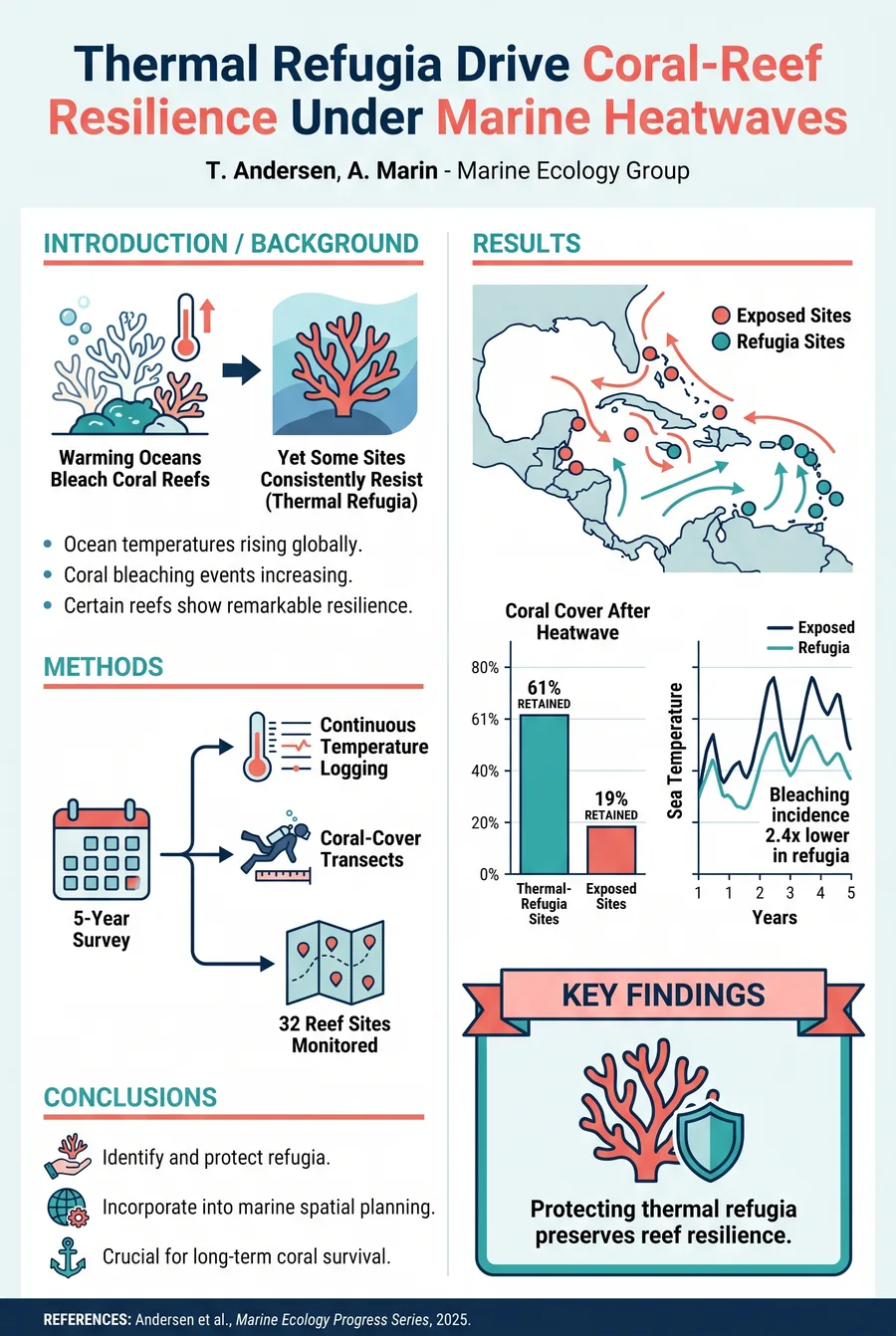
PowerPoint vs AI
Why a scientific poster generator beats PowerPoint
Most researchers still build conference posters in PowerPoint or Keynote, manually adjusting fonts, margins, and layouts for hours. A scientific poster generator removes that tedious workflow entirely. Here's a side-by-side comparison of the traditional approach versus an AI research poster generator.
Traditional Poster Design
- Spend 4–8 hours wrestling with PowerPoint layouts and alignment
- Manually resize content to fit A0/A1 dimensions, often with blurry results
- Start from a blank slide or a generic template that doesn't match academic standards
- Struggle with font sizing, margin calculations, and DPI settings for large-format printing
- Lose hours reformatting when switching between portrait and landscape orientation
- Pay $50–$200 for a professional designer or use outdated lab templates passed between students
AI Poster Generator
- Generate a full poster from your text or paper PDF in under 60 seconds
- AI automatically organizes content into Introduction, Methods, Results, and Conclusions
- AI designs the academic layout for you—no templates to pick, no manual alignment
- Export at 150 DPI in the exact dimensions required—no manual calculations
- Pick your size and orientation up front (A0/A1/A2 or 24×36, portrait or landscape)
- Free to start—no design skills, no external tools, no waiting for a designer
Built for academic conferences
What our scientific poster maker does
The AI reads your research paper, structures the content into clearly defined poster sections, and lays them out for conference presentation. Every feature below is built to turn a manuscript into a research poster faster.
AI Content Structuring
Paste your abstract, paper draft, or full manuscript—up to 30,000 characters—or upload your paper as a PDF. The AI identifies the key components (background, objectives, methods, results, conclusions) and organizes them into properly labeled poster sections. No manual copy-pasting between slides required.
AI-Designed Academic Layout
There are no templates to choose or tweak. The AI lays out the whole poster automatically following academic conventions—a title bar with authors, Introduction / Methods / Results / Conclusions panels, a Key Findings callout, and a references footer—with balanced typography and whitespace for large-format printing. Add an optional prompt to steer the style or emphasis.
AI Annotation Editing
Need changes? Open the annotation editor, draw arrows or notes directly on the poster and/or type an instruction (for example, "make the title bigger" or "shorten the methods"), and the AI revises just those areas while keeping the rest intact. Each AI edit costs 5 credits.
Print-Ready High-Resolution Export
Export your finished poster as a high-resolution JPG, PNG, or TIFF at 150 DPI, optimized for professional large-format printing. The file is ready to send directly to your university print shop or an online service like FedEx Office or Staples.
Multiple Standard Sizes
Full support for international standard poster sizes: A0 (33.1 × 46.8 in), A1 (23.4 × 33.1 in), A2 (16.5 × 23.4 in), and a common US format at 24 × 36 inches, in portrait or landscape. Choose your size and orientation before generating; to switch them, regenerate in seconds.
AI-Generated Charts & Figures
When your text reports numbers—percentages, p-values, sample sizes—the AI renders them as clean bar, scatter, and line charts with the key values annotated, plus schematic icons and flow diagrams for your methods. There are no figure files to place or align by hand.
How to make a scientific poster
Go from raw research text to a finished, printable conference poster in just three steps. Whether you're a first-year graduate student preparing for your debut poster session or a seasoned PI updating results for a keynote event, the workflow is the same. No design expertise required—the scientific poster generator handles layout, structure, and formatting automatically.
Paste Your Research or Upload a PDF
Paste your abstract, selected paper sections, or the full manuscript text into the input field, or upload your paper as a PDF. The AI uses natural language processing to identify the core components of your research—background context, research objectives, methodology, key results, and conclusions—and prepares them for poster layout.
Choose Your Size & Orientation
Pick your poster size based on your conference requirements (A0, A1, A2, or 24×36 in) and orientation (portrait or landscape). Optionally add a short prompt to steer the style or highlight a key result. The AI then designs the academic layout and arranges your content automatically—no template to pick.
Refine & Export
Review the generated poster. To adjust it, open the annotation editor, mark up the areas you want changed and describe the fix, and the AI revises the image (5 credits per AI edit). When you're happy with the result, export a print-ready JPG, PNG, or TIFF at 150 DPI.
What researchers say about our research poster maker
Trusted by graduate students, postdocs, and principal investigators preparing conference posters worldwide.
Dr. Sarah Chen
Neuroscience Postdoc, StanfordI used to spend an entire weekend on poster design before every SfN meeting. This tool generated a clean first draft from my abstract in about 30 seconds. I spent an hour tweaking it and the final poster looked better than anything I've made in PowerPoint.
Marco Rossi
PhD Student, ETH ZürichAs a PhD student with zero design skills, I was dreading my first poster presentation at EMBO. The AI structured my content perfectly—Introduction, Methods, Results, Discussion—and the layout looked exactly right for the conference.
Dr. Sarah Chen
Neuroscience Postdoc, StanfordI used to spend an entire weekend on poster design before every SfN meeting. This tool generated a clean first draft from my abstract in about 30 seconds. I spent an hour tweaking it and the final poster looked better than anything I've made in PowerPoint.
Marco Rossi
PhD Student, ETH ZürichAs a PhD student with zero design skills, I was dreading my first poster presentation at EMBO. The AI structured my content perfectly—Introduction, Methods, Results, Discussion—and the layout looked exactly right for the conference.
Dr. Sarah Chen
Neuroscience Postdoc, StanfordI used to spend an entire weekend on poster design before every SfN meeting. This tool generated a clean first draft from my abstract in about 30 seconds. I spent an hour tweaking it and the final poster looked better than anything I've made in PowerPoint.
Marco Rossi
PhD Student, ETH ZürichAs a PhD student with zero design skills, I was dreading my first poster presentation at EMBO. The AI structured my content perfectly—Introduction, Methods, Results, Discussion—and the layout looked exactly right for the conference.
Dr. Sarah Chen
Neuroscience Postdoc, StanfordI used to spend an entire weekend on poster design before every SfN meeting. This tool generated a clean first draft from my abstract in about 30 seconds. I spent an hour tweaking it and the final poster looked better than anything I've made in PowerPoint.
Marco Rossi
PhD Student, ETH ZürichAs a PhD student with zero design skills, I was dreading my first poster presentation at EMBO. The AI structured my content perfectly—Introduction, Methods, Results, Discussion—and the layout looked exactly right for the conference.
Scientific poster generator FAQ
Common questions
Create your conference poster now
Paste your research, pick a size, and generate a professional scientific poster in under a minute. No design skills required—start with free credits.